
Spaces:
Runtime error

Runtime error
| title: n8n | |
| emoji: 🤖 | |
| colorFrom: pink | |
| colorTo: indigo | |
| sdk: docker | |
| pinned: false | |
| license: mit | |
| app_port: 5678 | |
| short_description: n8n hosting using huggingface | |
| # Hosting n8n using huggingface space | |
| If you don't have a cloud instance or domain, self hosting n8n may be a bit difficult. | |
| This repository is a template for hosting n8n using huggingface space. | |
| ## Using Supabase for database | |
| According to [huggingface space documentation](https://huggingface.co/docs/hub/en/spaces-overview#lifecycle-management), | |
| Space will "go to sleep" and stop executing after a period of time if unused. | |
| To avoid this, we can use [Supabase](https://supabase.com/) for the database. | |
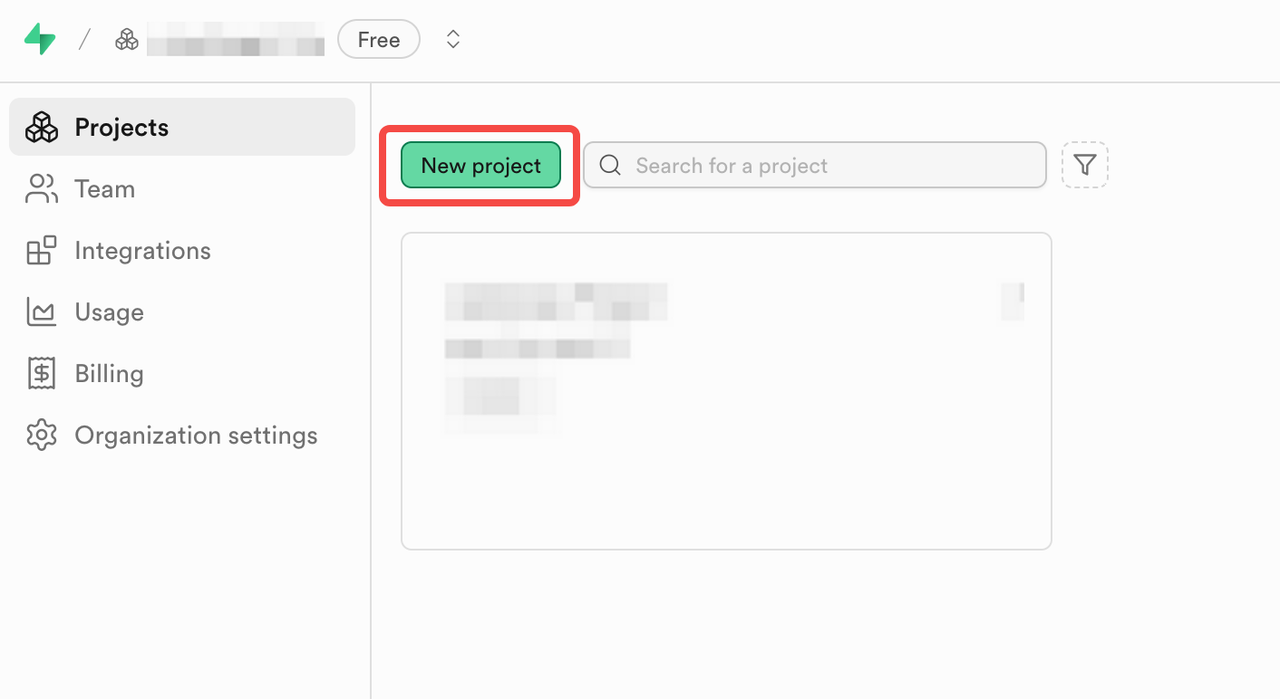
| 1. Sign up for a free account at <https://supabase.com/dashboard/sign-up> | |
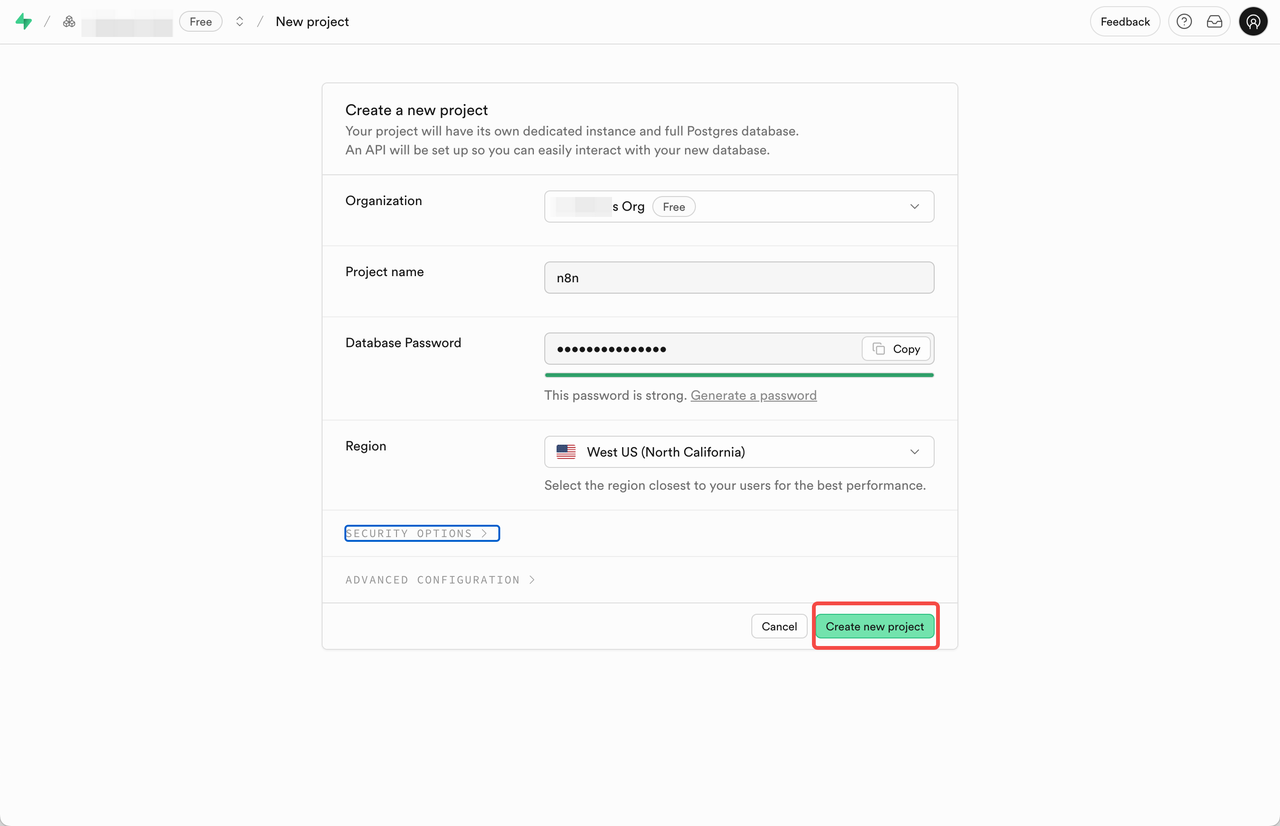
| 2. Create a new project and fill the form. Save the database password for later use. | |
|  | |
|  | |
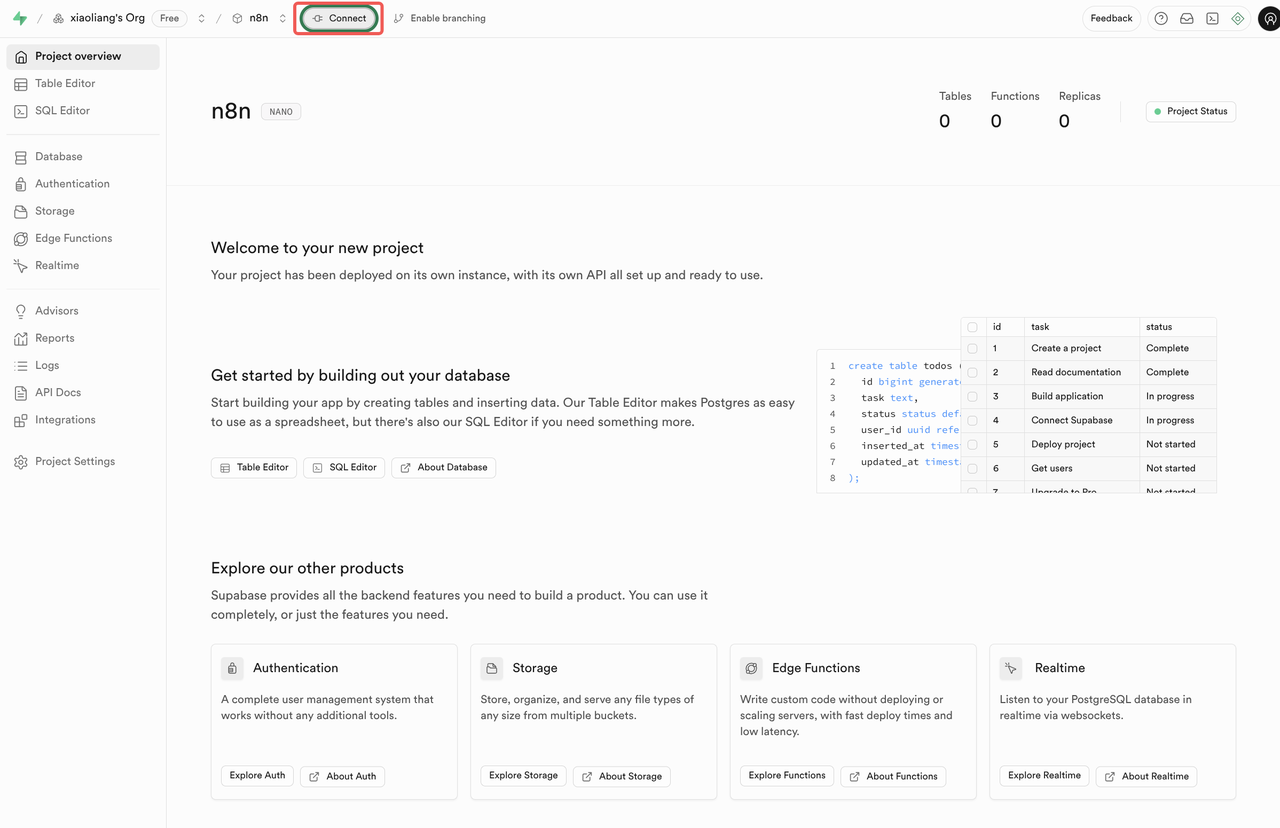
| 3. View the database connection info by click the **Connect** button on the top left nav bar. | |
|  | |
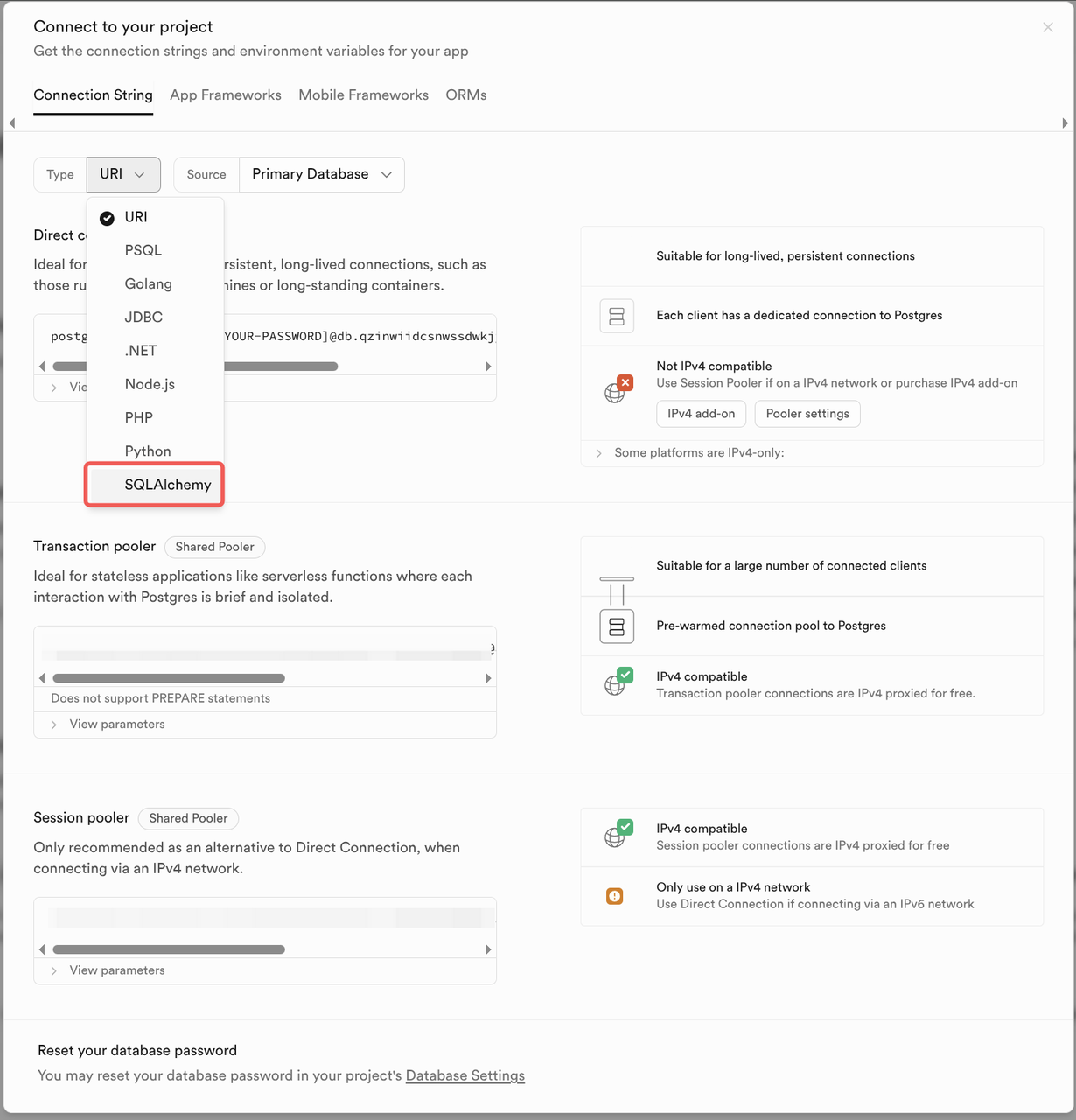
| 4. Select **SQLAlchemy** as Connection String and find the **Transaction pooler** section. | |
|  | |
| 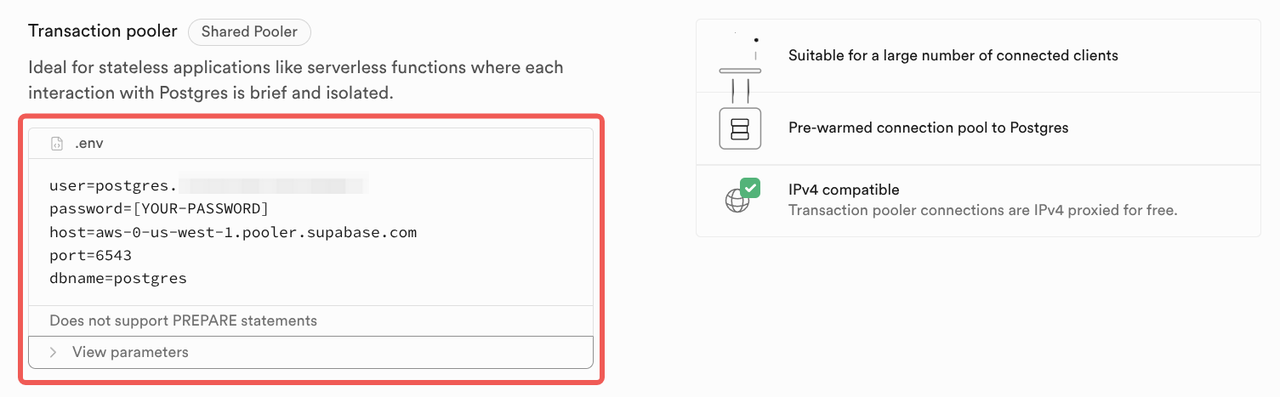 | |
| 5. Save the connection info for later use: host, port, user, dbname. | |
| ## Deploying n8n using huggingface space | |
| Huggingface space provide a free tier with 16GB RAM, 2 CPU cores and 50GB of | |
| (not persistent) disk space. This is enough for hosting n8n. | |
| | **Hardware** | **GPU Memory** | **CPU** | **Memory** | **Disk** | **Hourly Price** | | |
| | ------------ | -------------- | ------- | ---------- | -------- | ---------------- | | |
| | CPU Basic | - | 2 vCPU | 16 GB | 50 GB | Free! | | |
| Using this space to duplicate and deploy n8n in the easy way. | |
| 1. Sign up for a free account at <https://huggingface.co/join> and pick a profile name. | |
| `tomowang` is the profile in <https://huggingface.co/tomowang> as an example. | |
| Remember the profile name for later use. | |
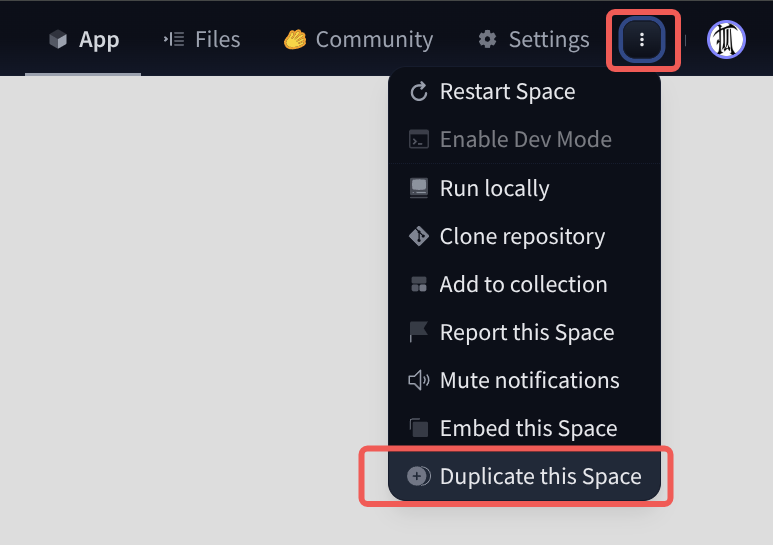
| 2. Access <https://huggingface.co/spaces/tomowang/n8n> and click the menu drop | |
| down in top right corner and select **Duplicate this space**. | |
|  | |
| 3. Fill or change the variable and secrets in pop-up form and click **Duplicate**. | |
| 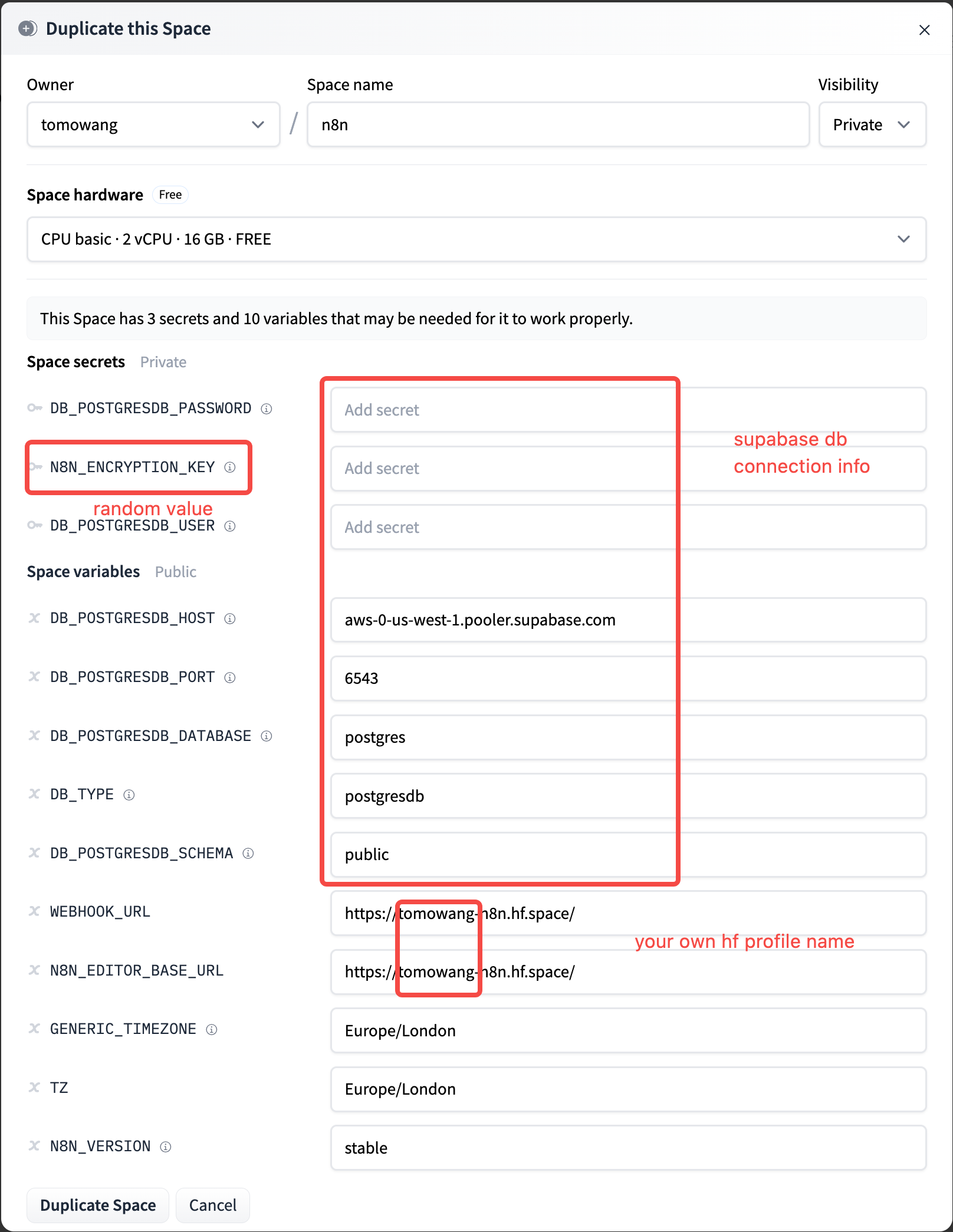 | |
| | **Variable** | **Value** | | |
| | ------------------------ | -------------------------------------------------------- | | |
| | `DB_POSTGRESDB_PASSWORD` | supabase db password | | |
| | `DB_POSTGRESDB_USER` | supabase db connection `user` | | |
| | `DB_POSTGRESDB_HOST` | supabase db connection `host` | | |
| | `DB_POSTGRESDB_PORT` | 6543 | | |
| | `N8N_ENCRYPTION_KEY` | Random string. Use `openssl rand -base64 32` to generate | | |
| | `WEBHOOK_URL` | Example `https://<profile>-n8n.hf.space/` | | |
| | `N8N_EDITOR_BASE_URL` | Example `https://<profile>-n8n.hf.space/` | | |
| | `GENERIC_TIMEZONE` | Config by requirement | | |
| | `TZ` | Config by requirement | | |
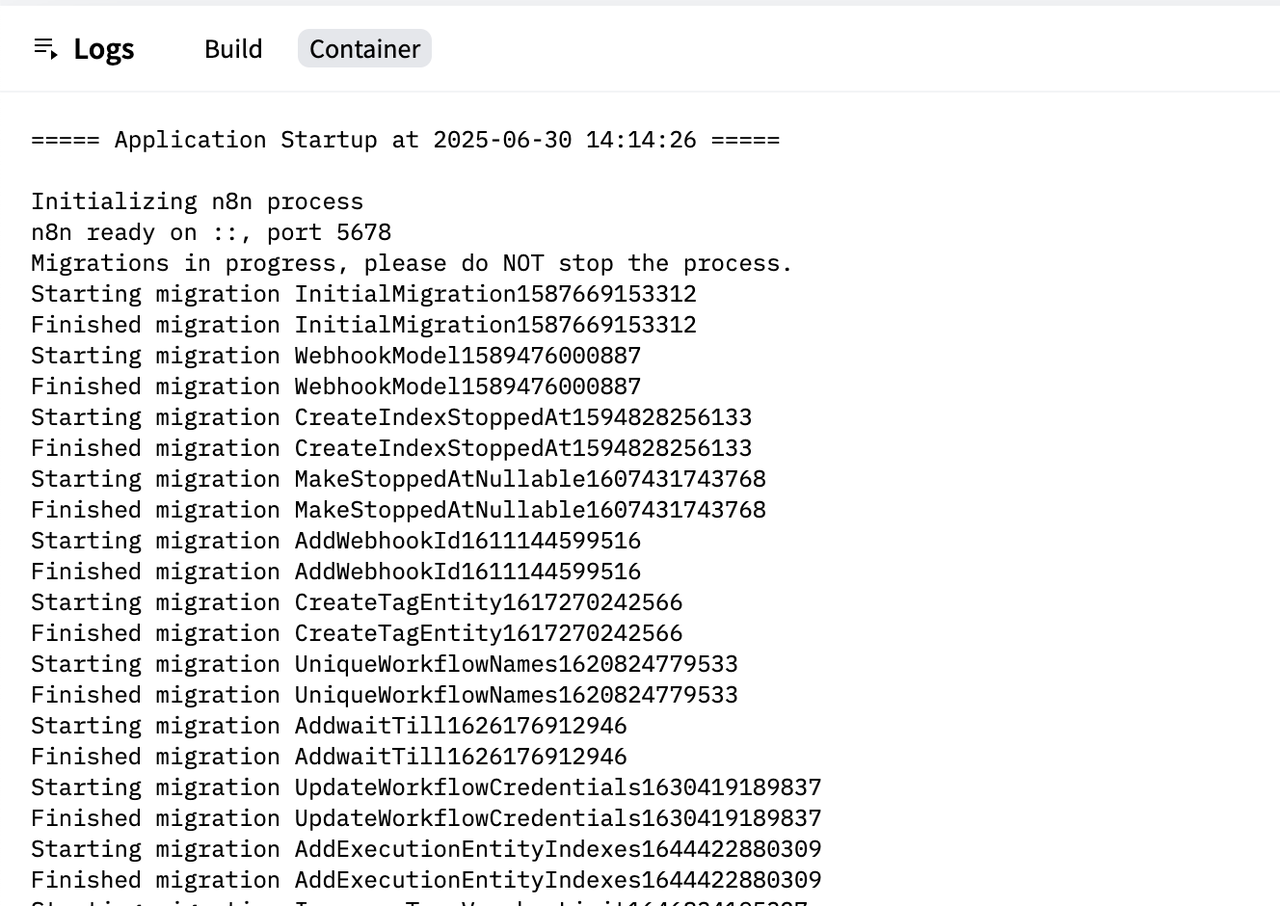
| 4. Click **Duplicate Space** and wait for the deployment to finish. You can | |
| find the logs as following | |
|  | |
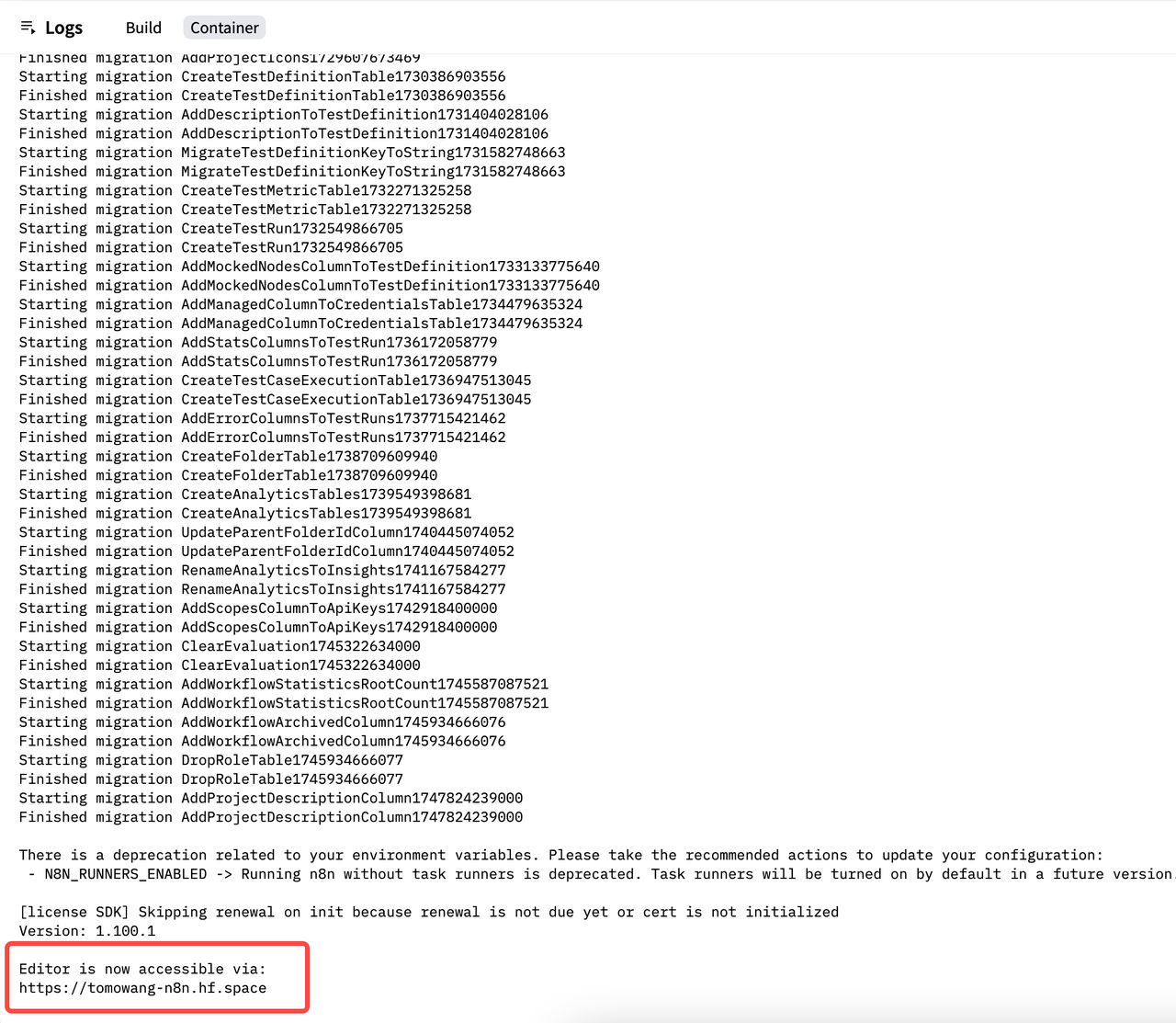
| 5. Once the deployment is finished, you can find the URL as configured in the | |
| `N8N_EDITOR_BASE_URL` variable. | |
|  | |
| Now you can access n8n using the URL. | |
| > n8n use [helmet](https://github.com/helmetjs/helmet) for security headers. | |
| > In production mode, it will set `X-Frame-Options` to `sameorigin`, which causes | |
| > the n8n site to be blocked by the iframe in the Huggingface Space | |
| > (code <https://github.com/n8n-io/n8n/blob/master/packages/cli/src/server.ts#L401-L402>). | |